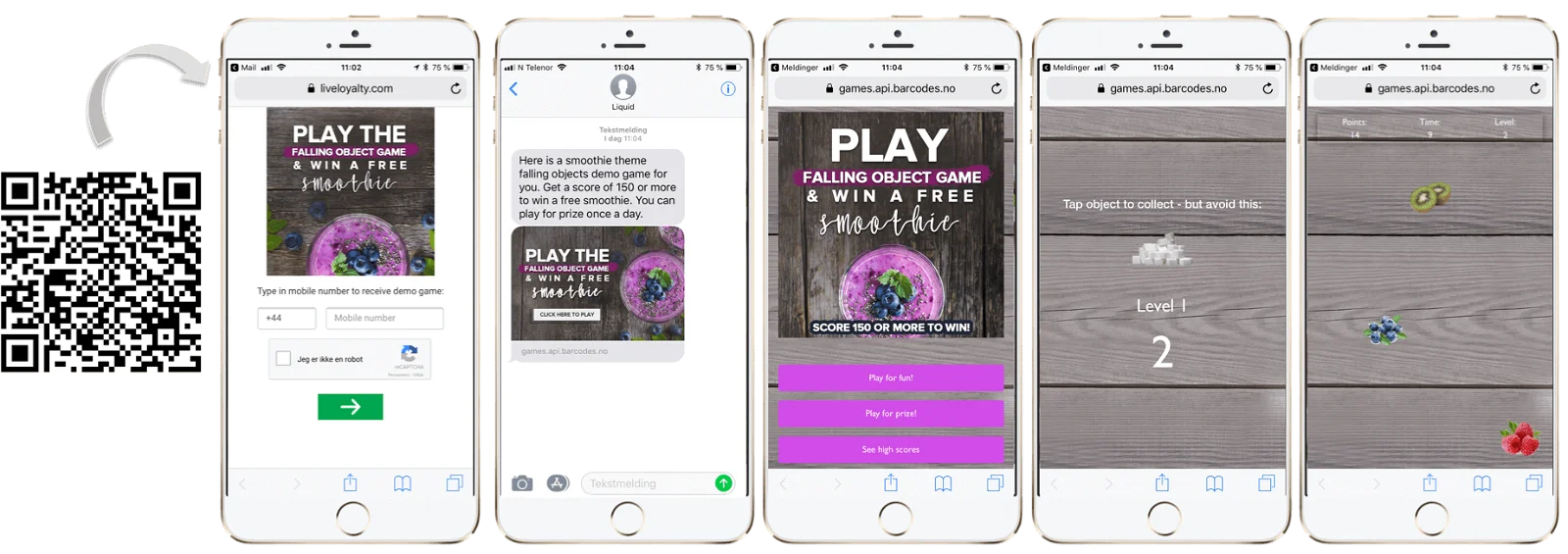
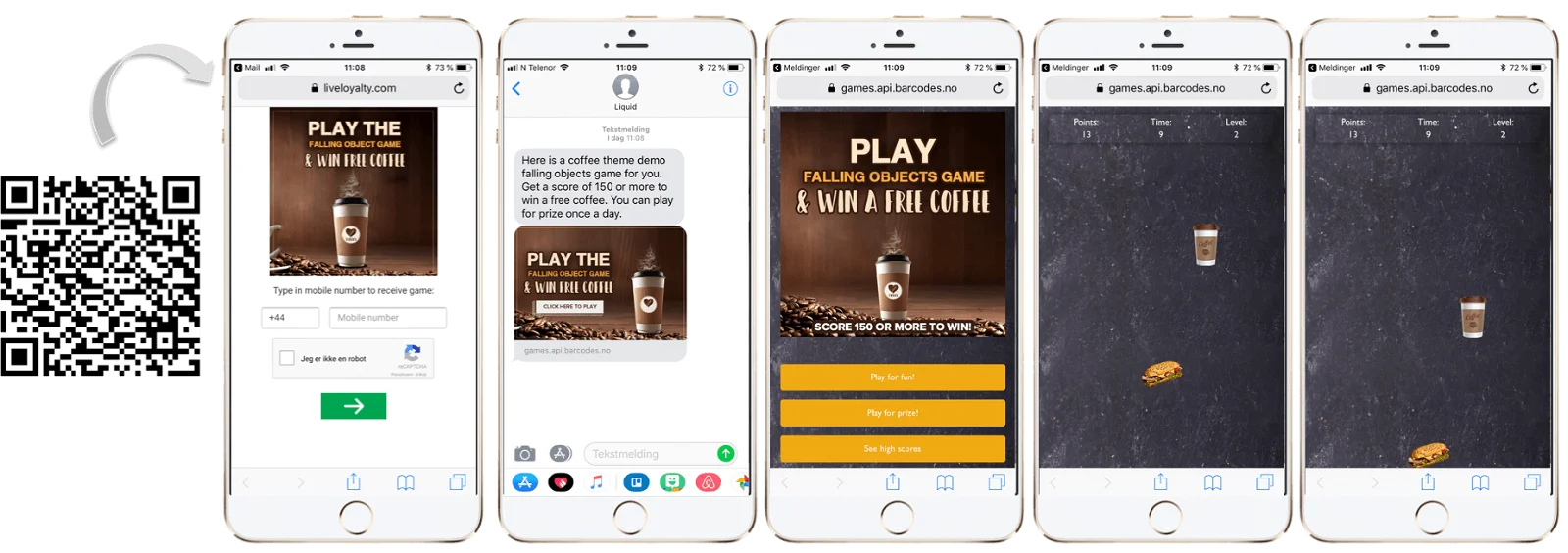
Get inspired with someReal Cases
This is an example falling objects game:
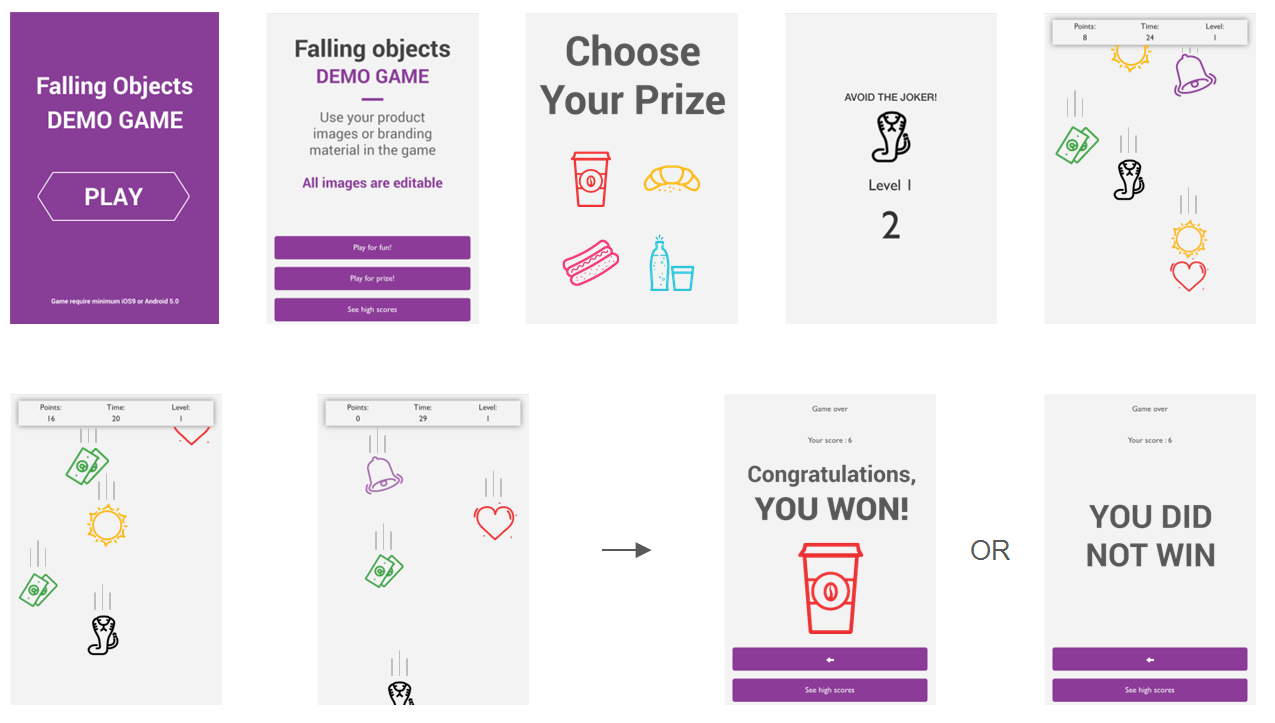
When customers win a prize, this can trigger a wide range of rewards, eg. sending a coupon, game, or survey, giving loyalty card stamp(s), top-up points balance, or gift card.
*Falling Objects*
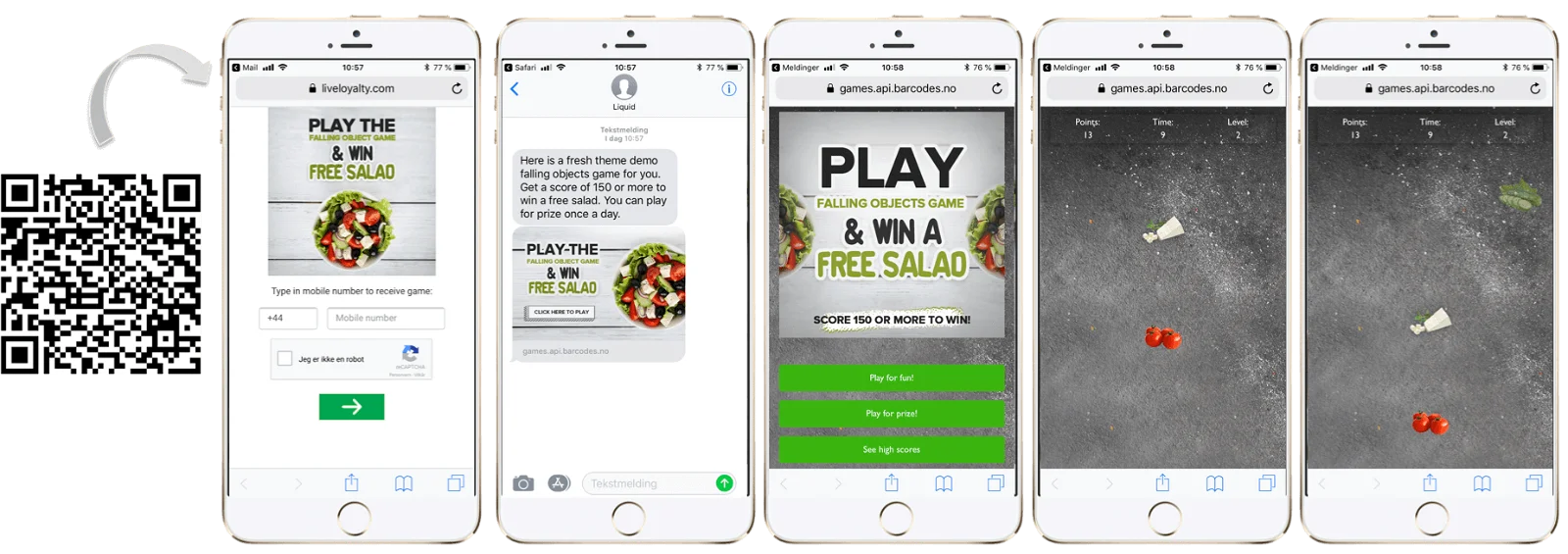
* To see additional demos, scroll down to the very bottom of the page
RESOURCES
DOWNLOAD Photoshop file with templates. The fastest way to create graphics.
DOWNLOAD Folder with example images.
IMAGE LIST AND TIPS
All images are required and both PNG and JPG image formats are supported unless noted otherwise:
| NAME | IMAGE | WIDTH (px) | HEIGHT (px) | REMEMBER! |
| Introduction | 640 | App: Image coupon SMS preview: 640 | Click to start game. Make sure to clearly communicate: - PLAY button - For discount prizes: manage expectations by communicating what the prizes are (e.g. Win 1/2 price coupon) - Note: Game does not work on older OS versions. - Age restrictions if relevant - Campaign duration (number of days to play OR start & end date for games with fixed dates) | |
| Background image | 640 | 950 | The image that is used as background on all game pages. To reduce graphics workload, the game can look great even with solid single colored background! | |
| Front page image | 600 | 600 | The initial image presented in the game. Should contain game explanation. | |
| Prize icon | 600 | 600 | The image representing the prize. One image per prize. OBS: Product images make great prize icons and reduce graphics workload! The image should clearly communicates the deal the user gets. | |
| Icons to tap | 100 | 100 | Transparent PNGs. Icons to tap to proceed to next level. At least five icons recommended. | |
| Icon to avoid | 100 | 100 | Optional. If you touch this, game over. The difficulty of the game will be increased by adding this icon! Transparent PNG. | |
| Choose prize top image | 600 | 300 | Optional. Only required if users should choose prize before playing. Transparent PNG. Shown on top of select prize page before game begins if user can choose between multiple prizes. | |
| Win top image | 600 | 300 | Transparent PNG. Image shown at the top of end screen if you win. Prize icon is shown below this image | |
| No win top image | 600 | Minimum 300 | Transparent PNG. Image shown on end screen if you do not win. | |
| Thumb image | App only | App specific | App specific | App specific |
For apps, image sizes are app-specific.
SUGGESTED STAGE PLAN
The time and number of items per stage are crucial to the game experience. Here is a suggested plan for a game with medium difficulty.
| STAGE | NUMBER OF ITEMS PER STAGE | TIME |
| 1 | 5 | 8 |
| 2 | 7 | 10 |
| 3 | 9 | 12 |
| 4 | 11 | 14 |
| 5 | 13 | 16 |
| 6 | 17 | 18 |
| 7 | 19 | 20 |
| 8 | 22 | 22 |
| 9 | 25 | 24 |
| 10 | 28 | 26 |
More Demos