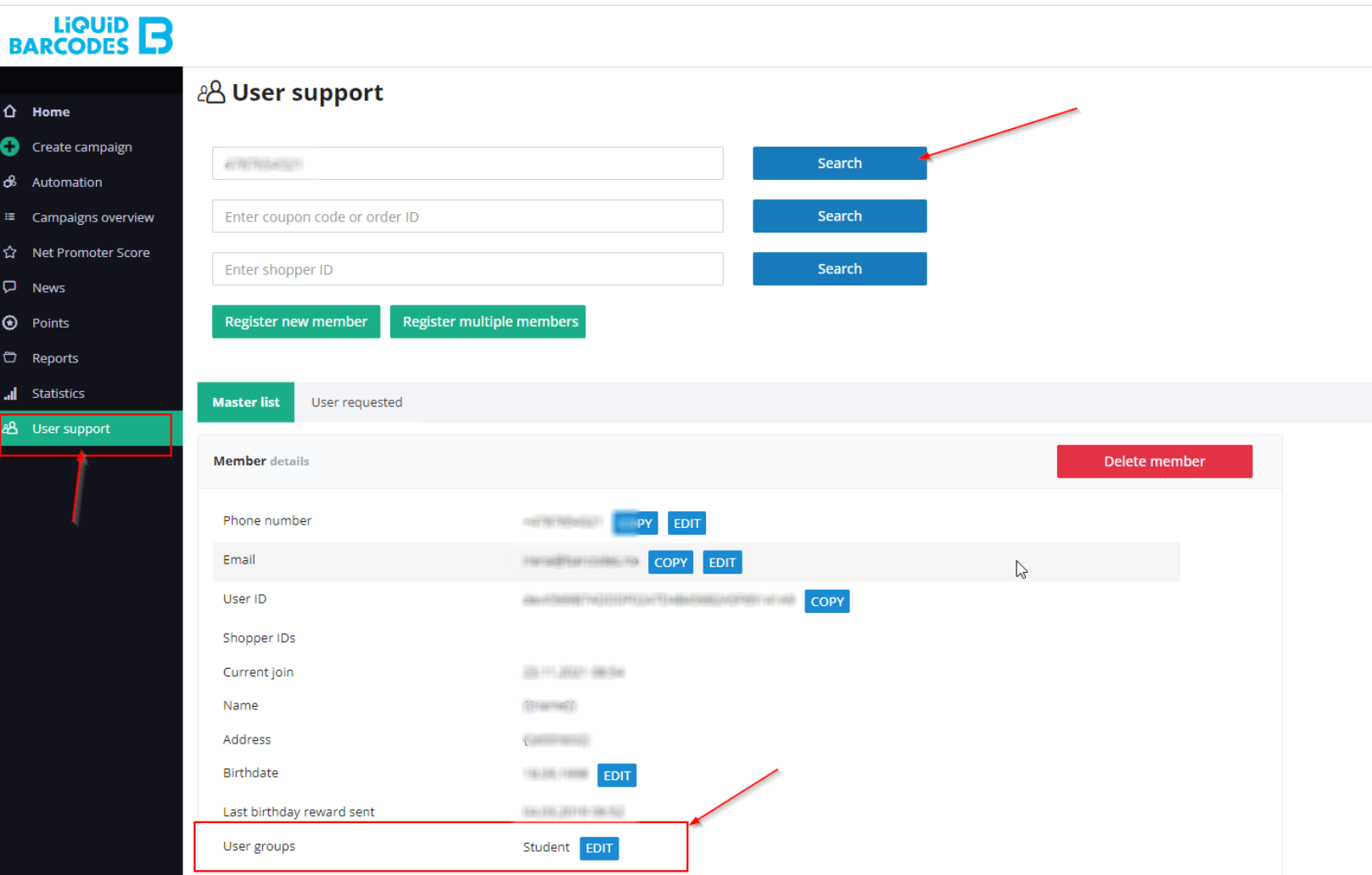
To add a user to a user group through the dashboard, you can follow these steps:
- Access to dashboard.
- Look for User Support section.
- Locate the option to search for a user..
- Enter the relevant information, such as the user's phone number, email address, or unique identifier, to find the specific user.
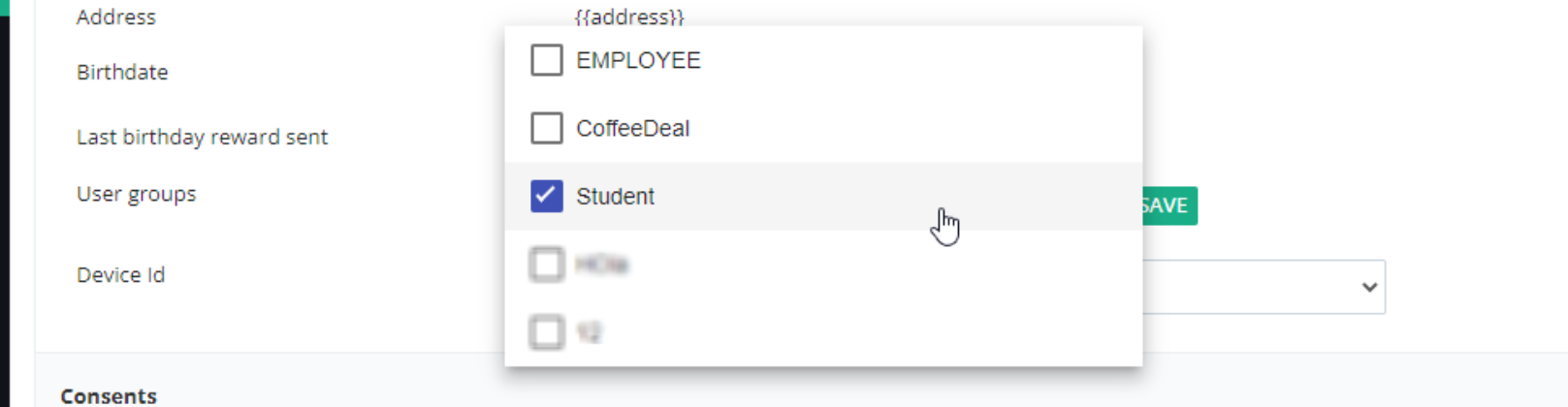
- Within the user's profile, locate the "User group" field.
- Edit the "User group" field by selecting the appropriate user group from a predefined list.
- Save the changes.
The user will now be added to the specified user group, granting them the associated permissions or access rights.