
Not from the Dashboard at the moment. If you need to refund an in-app purchase for a member who has been deleted, contact Liquid Barcodes support.
To help us process it quickly, include:
- The receipt ID of the purchase
- The member's phone number or email, if you have it
- The reason for the refund
Finding the receipt ID
- Sign in to the Dashboard at dashboard.us.liquidbarcodes.com.
- Use the search bar at the top to find the member by phone number or email. Deleted members are marked Deleted.
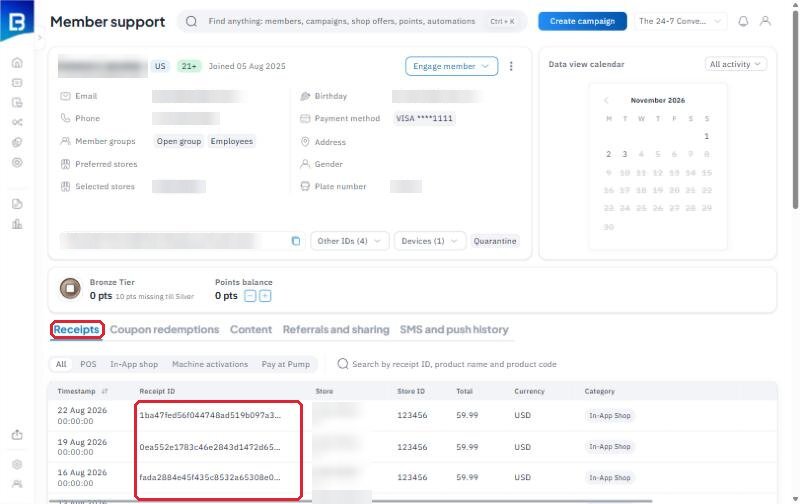
- Open the member and go to the Receipts tab. Their purchases are still listed there, and you can copy the receipt ID from the table.
Purchases made in store or at the pump
Refunds for POS and Pay at Pump purchases are made at the store where the purchase happened, whether or not the member has been deleted.